
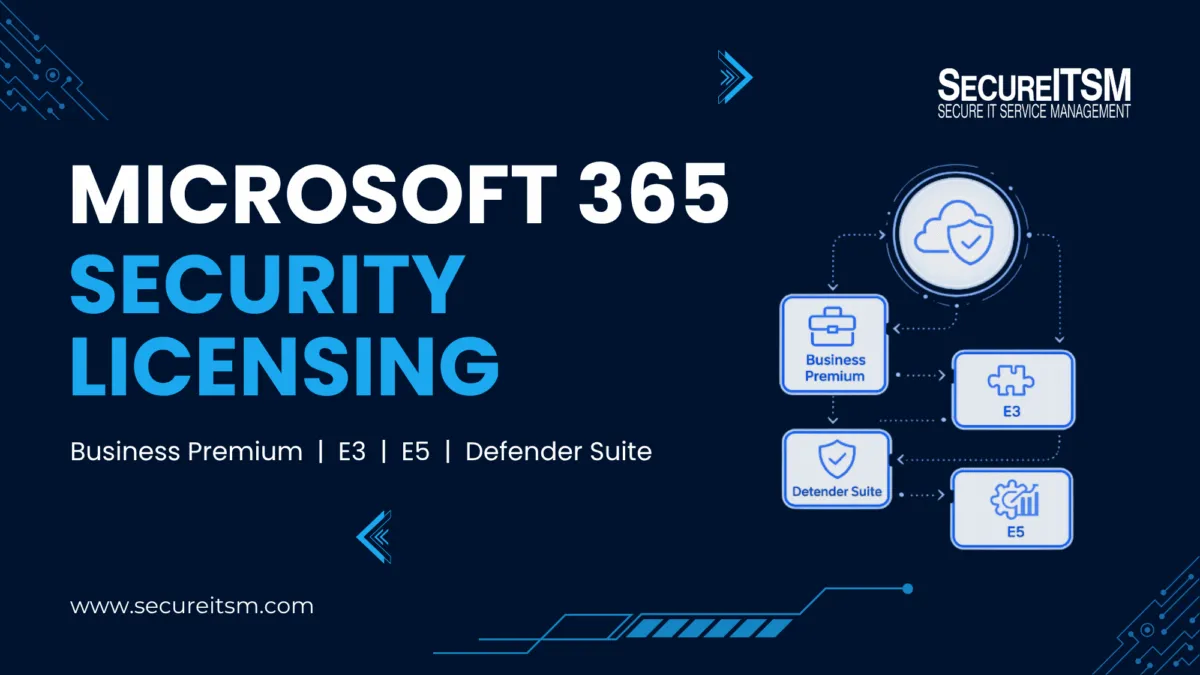
Microsoft 365 security licensing is easy to misunderstand because the product names do not form a simple security ladder. Office 365 E3, Microsoft 365 Business Premium, Microsoft 365 E3, and Microsoft 365 E5 may sit near each other in Microsoft's portfolio, but they provide different combinations of identity, endpoint, Windows, email, compliance, and threat-detection capabilities.
SecureITSM approaches the comparison from an implementation perspective. Instead of asking only which features Microsoft lists under each plan, we ask a practical question: can the license support the security configurations that need to be implemented, operated, and monitored? Our internal analysis maps 102 SecureITSM configuration settings across 25 security and operational capability categories.
For defense contractors, licensing is only one part of the architecture. Commercial Microsoft 365, GCC, and GCC High are separate environment decisions. If that question is part of your planning, see our Microsoft GCC and GCC High comparison.
Microsoft 365 Security Licensing at a Glance
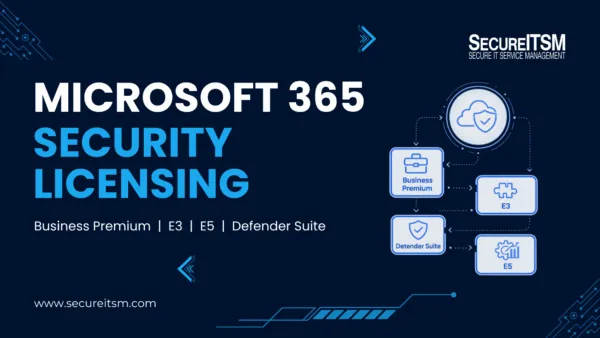
For security and management purposes, the progression is roughly: Business Basic/Standard and Office 365 E1/E3 provide productivity and baseline protection; Business Premium adds an integrated SMB security stack; Microsoft 365 E3 adds the enterprise identity, management, Windows, and endpoint foundation; advanced Defender licensing adds the P2/XDR layer; and Microsoft 365 E5 combines the broadest security and compliance capabilities.
That progression is not absolute. Office 365 E3, for example, can exceed Business Premium in Exchange and enterprise information-management capabilities, while Business Premium is substantially stronger in integrated identity, endpoint management, and endpoint security. The right choice depends on the security outcome, not the product name.
| Capability | Basic / Standard | O365 E3 | Business Premium | M365 E3 | E3 + Defender Suite | M365 E5 |
| Conditional Access / Entra P1 | No | No | Yes | Yes | Yes | Yes |
| Endpoint management | No | No | Yes | Yes | Yes | Yes |
| Endpoint security | No | No | Yes | Yes | Yes | Yes |
| Advanced identity / PIM | No | No | No | No | Yes | Yes |
| Advanced XDR stack | No | No | No | No | Yes | Yes |
| Windows Enterprise entitlement | No | No | No | Yes | Yes | Yes |
| Advanced compliance breadth | No | No | No | No | No | Yes |
This is a simplified reader-facing summary. SecureITSM's full internal matrix uses Yes, Partial, Limited, and No ratings across 25 categories. Those ratings measure whether a license supports the complete SecureITSM configuration set for a category; they are not a raw list of every Microsoft feature that may exist in that product family.
How SecureITSM Evaluates Microsoft 365 Licensing
The SecureITSM framework spans the control planes used to secure Microsoft environments. Identity coverage includes Conditional Access, MFA, legacy-authentication blocking, geographic restrictions, Entra ID Protection, risk policies, Privileged Identity Management (PIM), just-in-time administration, and risk-based Conditional Access. Endpoint coverage includes Intune, Windows Hello, application control, Defender protections, and advanced response capabilities.
Email and threat coverage includes Exchange Online Protection, Defender for Office 365, Safe Links, Safe Attachments, anti-phishing, investigation, and simulation. The model also evaluates Defender for Identity, Defender for Cloud Apps, Microsoft Defender XDR, Purview information protection and DLP, retention, eDiscovery, logging, Microsoft Sentinel, Kaseya endpoint operations, and ConnectSecure vulnerability management.
That changes the licensing conversation from “does this plan include a feature?” to “can this licensed environment support the security configuration outcome we need?” For implementation planning, the second question is usually more useful.
Business Basic, Business Standard, and Office 365: Where the Security Gaps Begin
Business Basic and Business Standard should be treated primarily as productivity offerings with baseline Microsoft 365 protection. They provide Exchange Online Protection, anti-spam and anti-malware filtering, foundational Entra ID capabilities, security defaults, MFA capabilities, encryption, and basic administrative and audit functions. Business Standard adds desktop Microsoft 365 applications, but it does not fundamentally change the security architecture.
The limitation appears when an organization needs centrally enforced identity and device controls. Basic and Standard do not provide the same Entra ID P1 Conditional Access, Intune management, Defender for Business, or Defender for Office 365 Plan 1 stack found in Business Premium. They can protect Microsoft 365 accounts and mailboxes, but they should not be mistaken for a complete endpoint, identity, and threat-response platform.
Office 365 E1 and E3 move into enterprise productivity and collaboration, but “E3” is where naming often causes confusion. Office 365 E3 is not Microsoft 365 E3. Office 365 E3 provides desktop applications, Exchange Online Plan 2, a 100 GB mailbox, and broader information-management capabilities, but it does not inherently include the full Entra P1, Intune, Windows Enterprise, and endpoint-security foundation associated with Microsoft 365 E3.
Microsoft also changed the E3 picture in 2026 by adding Defender for Office 365 Plan 1 to Office 365 E3 and Microsoft 365 E3. The current Microsoft 365 pricing and packaging update is important because older comparison articles may still show E3 without this email-security entitlement.
Why Business Premium Is the First Major Integrated-Security Breakpoint
Business Premium is a substantial step above Basic and Standard because it brings the identity, device-management, endpoint-security, and email-security layers together. Microsoft documents Business Premium as including Entra ID P1, Intune, Defender for Business, and Defender for Office 365 Plan 1. See Microsoft's Business Premium security guidance for the current entitlement summary.
Entra ID P1 enables Conditional Access, while Intune provides device compliance, configuration, application management, and endpoint-security policy. These services can work together so an access decision can consider whether the device meets organizational requirements rather than relying only on a username, password, or MFA prompt.
Defender for Business adds endpoint protection, detection and response, vulnerability management, automated investigation, remediation, and attack-surface-reduction capabilities. Defender for Office 365 Plan 1 extends email and collaboration protection with Safe Links, Safe Attachments, enhanced anti-phishing, and real-time detections. In SecureITSM's configuration model, this is the first evaluated package that fully supports the complete Identity & Access Security and Endpoint Management configuration sets.
Business Premium still has a ceiling. Entra ID P2, PIM, Defender for Identity, Defender for Cloud Apps, advanced email investigation, and the full advanced XDR configuration set require additional licensing. But for eligible smaller organizations, Business Premium can be a strong integrated security foundation.
Microsoft 365 E3: The Enterprise Security and Management Foundation
Microsoft 365 E3 should be viewed as an enterprise foundation rather than a lightly upgraded Office 365 plan. It combines Entra ID P1, Conditional Access, Intune, Windows Enterprise rights, Defender for Endpoint Plan 1, Defender for Office 365 Plan 1, and enterprise Microsoft 365 management.
The 2026 packaging changes also expanded Microsoft 365 E3 with additional Intune capabilities, including Intune Plan 2, Remote Help, and Advanced Analytics. Those additions make older E3 comparison charts increasingly unreliable. For current deployments, the architecture should be checked against Microsoft's current licensing documentation rather than assumed from an older feature matrix.
E3 still does not provide every capability in Microsoft's advanced identity and Defender stack. Entra ID P1 is not Entra ID P2, Defender for Endpoint Plan 1 is not Plan 2, and Defender for Office 365 Plan 1 does not provide the complete investigation and response capabilities of Plan 2. This is where the advanced security step-up becomes relevant.
Licensing also needs to become configuration. SecureITSM's AgileDefend Implement framework connects Microsoft licensing to identity hardening, Intune configuration, Defender deployment, logging, and the operating environment.
What the Defender Suite Step-Up Changes—and Why It Is Not the Same as Full E5
An organization does not necessarily have to move every user to the complete Microsoft 365 E5 suite simply to obtain Microsoft's advanced security capabilities. Microsoft now uses the name Microsoft Defender Suite for the advanced security add-on that was previously associated with Microsoft 365 E5 Security, and a corresponding Defender Suite is available for Microsoft 365 Business Premium environments.
The security step-up is important because it adds or upgrades the P2/XDR layer: Entra ID P2, Identity Protection, risk-based Conditional Access, PIM, Defender for Endpoint Plan 2, Defender for Office 365 Plan 2, Defender for Identity, Defender for Cloud Apps, and broader Microsoft Defender XDR capabilities. Microsoft's Entra licensing guidance is the primary reference for the P1/P2 distinction.
For Business Premium, the result is a strong SMB foundation plus advanced identity, endpoint, email, SaaS, and XDR security. For Microsoft 365 E3, the step-up starts from an enterprise foundation and adds the advanced identity and Defender layer. In SecureITSM's matrix, that is where Identity Protection, PIM, Defender for Identity, cloud-app security, risk-based Conditional Access, advanced email investigation, and the full XDR configuration categories move to full coverage.
That does not make E3 plus Defender Suite identical to Microsoft 365 E5. E5 includes capabilities outside the security add-on, particularly broader Purview, compliance, governance, information-protection, audit, and eDiscovery functionality. Business Premium also has some core Purview and eDiscovery Standard capabilities, but SecureITSM's matrix scores whether the complete configuration set for a category is supported—not whether any feature with that name exists. Microsoft's Purview licensing guidance should be used when advanced compliance requirements drive the licensing decision.
Entra ID Free vs. P1 vs. P2: The Identity Security Difference
The identity tiers provide one of the clearest ways to understand Microsoft's security progression. Entra ID Free provides foundational authentication and identity administration. P1 introduces policy-driven access control through Conditional Access. P2 adds risk-driven identity protection and privileged-access governance.
With P1, administrators can create sophisticated access policies based on conditions such as the user, application, location, device state, and authentication requirements. With P2, identity-risk signals can influence those decisions, and capabilities such as Identity Protection and Privileged Identity Management support higher-risk and privileged-access scenarios.
A useful shorthand is: Free = authentication, P1 = policy-based access, P2 = risk-based identity protection and privileged-access governance. That is why the words “Entra ID included” are not enough to determine whether a license supports the identity architecture you need.
Why XDR Matters More Than Any Individual Defender Product
The biggest architectural difference in the advanced Microsoft security stack is not one isolated Defender feature. It is telemetry correlation across security domains. Consider a phishing email that leads to stolen credentials, a risky sign-in, cloud-app access, endpoint compromise, lateral movement, and privilege escalation. In a fragmented environment, those events can appear as unrelated alerts in separate consoles.
Microsoft Defender XDR is designed to correlate signals across endpoints, identities, email, and applications so analysts can investigate the activity as one broader incident. Microsoft describes this cross-domain correlation in its Defender XDR documentation.
That matters operationally because the security team is no longer looking only at a suspicious message, a risky identity event, or an endpoint alert in isolation. The relevant telemetry can contribute to a common incident picture when the required products are licensed, deployed, and integrated. SecureITSM's Security Operations Center guide explains the monitoring and response layer that sits on top of those technologies.
Sentinel, Log Analytics, Kaseya, and ConnectSecure Are Separate Licensing Questions
A “Yes” in the SecureITSM matrix does not always mean a capability is included in the Microsoft 365 user subscription. Microsoft Sentinel and Log Analytics are Azure services with separate deployment and consumption considerations. Microsoft's Sentinel prerequisites require an Azure subscription and Log Analytics workspace.
The same distinction applies to Kaseya and ConnectSecure. They are third-party platforms in SecureITSM's operating model and require their own licensing. Their support status in the matrix indicates compatibility with the SecureITSM operating architecture, not inclusion in a Microsoft 365 plan.
How to Choose the Right Microsoft 365 Security Architecture
The licensing decision should begin with the security outcomes the organization needs—not with the question “Do we need E3 or E5?” First identify the required identity policies, endpoint controls, Windows rights, email defenses, EDR/XDR workflows, cloud-app detections, information-protection controls, logging architecture, and operational integrations. Then map those requirements to the license or combination of licenses that can support them.
- Business Basic / Standard: baseline Microsoft 365 protection and productivity; additional licensing is needed for a complete centralized identity and endpoint-security architecture.
- Office 365 E3: strong enterprise productivity, Exchange, information management, and Defender for Office 365 Plan 1, but not the integrated Microsoft 365 E3 identity, Intune, Windows, and endpoint foundation.
- Business Premium: a strong integrated SMB security baseline combining Entra ID P1, Intune, Defender for Business, email protection, and information-protection capabilities.
- Microsoft 365 E3: an enterprise security and management foundation with Entra P1, Intune, Windows Enterprise, Defender Endpoint P1, and Defender Office P1.
- Business Premium or E3 + Defender Suite: adds the advanced identity and Defender/XDR layer without automatically adding every compliance and governance capability in full E5.
- Microsoft 365 E5: the broadest option in this analysis, combining advanced security with broader compliance, governance, and information-protection capabilities.
The final question is therefore not which Microsoft license appears highest on a comparison chart. It is which identity, endpoint, email, cloud application, threat-detection, response, logging, and compliance capabilities the organization actually requires. If the problem also includes over-licensing or entitlement reconciliation, our article on Microsoft subscription software licensing covers the cost and Effective License Position side of the decision.
Frequently Asked Questions
Is Microsoft 365 Business Premium more secure than Office 365 E3?
They solve different problems, so a simple higher-versus-lower answer is misleading. Office 365 E3 is stronger in enterprise productivity, Exchange, and information-management areas, while Business Premium provides a substantially more integrated identity, Intune, and endpoint-security stack. In SecureITSM's configuration model, Business Premium therefore covers more of the integrated identity and endpoint-security architecture.
What is the difference between Office 365 E3 and Microsoft 365 E3?
Office 365 E3 is primarily an enterprise productivity, collaboration, Exchange, and information-management suite. Microsoft 365 E3 adds Entra ID P1, Intune, Windows Enterprise rights, Defender for Endpoint Plan 1, and the broader enterprise security and management foundation. Both now include Defender for Office 365 Plan 1 following Microsoft's 2026 packaging changes.
Is Microsoft 365 E3 plus Defender Suite the same as Microsoft 365 E5?
No. E3 plus Defender Suite can provide many of the advanced identity and Defender capabilities associated with E5-level security, but the complete Microsoft 365 E5 suite also includes broader compliance, governance, information-protection, audit, and eDiscovery capabilities.
Does Microsoft Sentinel come with Microsoft 365 E5?
Sentinel should be treated separately from the Microsoft 365 user-license comparison. It uses Azure resources and requires an Azure subscription and Log Analytics workspace, with Azure consumption and retention considerations outside the Microsoft 365 user license.
Choose the Security Capabilities First, Then Choose the License
Microsoft 365 licensing becomes easier to defend when architecture comes before product names. A license should be evaluated by whether it supports the identity policies, endpoint controls, Windows rights, email defenses, EDR/XDR workflows, cloud-app detections, information-protection controls, logging, and operational integrations the organization actually needs.
That is the purpose of SecureITSM's configuration-based approach. If you are not sure whether your current Microsoft licensing supports the security configurations your environment actually requires, SecureITSM can review the licensing, identity, endpoint, Defender, and monitoring architecture before you add licenses or redesign the environment.